Fancy Text & Emoji Generator

Create 300+ stylish fonts mixed with thousands of emojis. The ultimate tool for Instagram Bios, WhatsApp Status, and Pro Gaming Names.

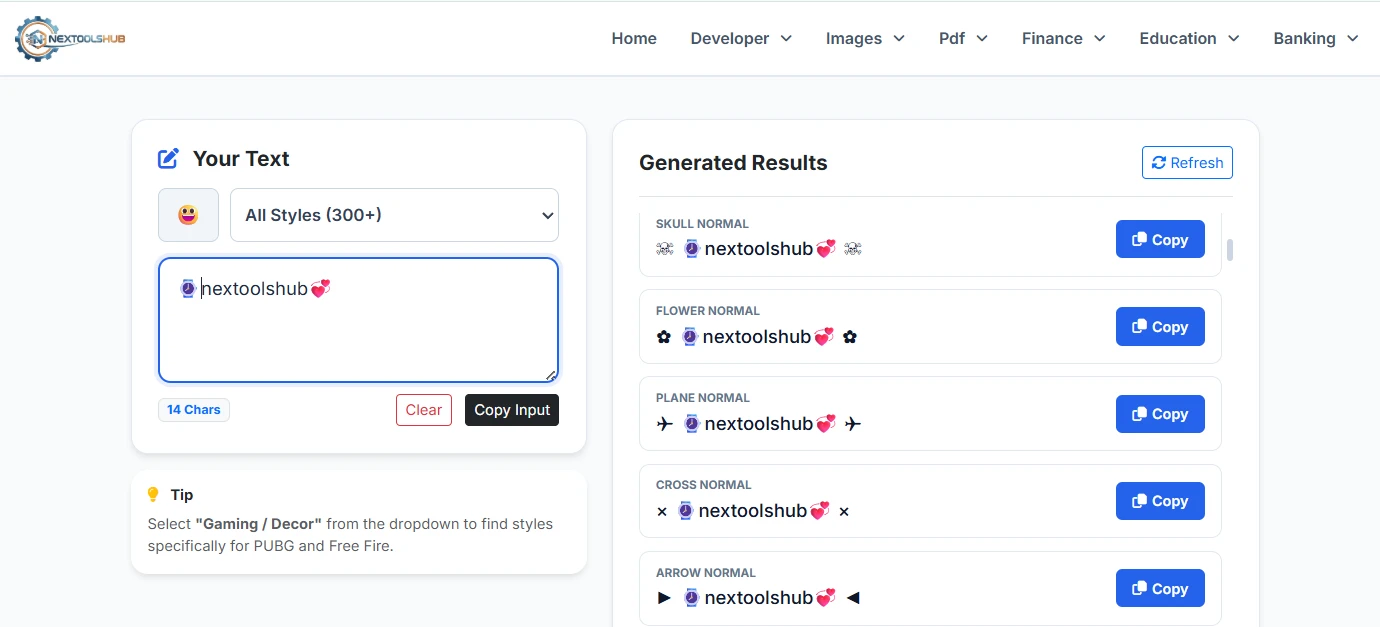
Your Text
0 Chars
Tip

Select "Gaming / Decor" from the dropdown to find styles specifically for PUBG and Free Fire.

Generated Results

Type something to generate styles...

Fancy Text Tool Guide

The Ultimate Fancy Text & Emoji Generator

Welcome to NexToolshub, where text transformation meets creativity. Unlike basic font generators that offer a limited selection, our tool integrates a massive database of Unicode characters with a full-featured Emoji Library. This allows you to create truly unique digital identities. Whether you are looking for a professional bold font for LinkedIn or a decorative name with symbols for Free Fire, we have it all.

How to Use This Tool

We have designed this tool to be incredibly user-friendly. Follow these steps:

  • Type Text: Enter your desired text in the input box on the left.
  • Add Emojis: Click the Smiley Face button (๐Ÿ˜ƒ) to open the category-wise emoji picker and add symbols.
  • Filter Styles: Use the dropdown menu to filter styles (e.g., select "Cursive" for handwritten looks).
  • Copy & Paste: Scroll through the list on the right and click "Copy" next to the style you love.

Why Use Fancy Text?

  • Stand Out on Social Media: In a feed full of standard text, a bio written in ๐“ฌ๐“พ๐“‡๐“ˆ๐’พ๐“‹โ„ฏ or ๐™ฑ๐š˜๐š•๐š ๐™ผ๐š˜๐š—๐š˜๐šœ๐š™๐šŠ๐šŒ๐šŽ catches the eye immediately.
  • Pro Gaming Names: Serious gamers know that a name defines your reputation. Use our "Gaming" filter to find names decorated with guns, wings, and skulls (e.g., ๊งเผบโ‚ฆะ‡๐”‘๐”โ‚ณเผป๊ง‚).
  • Emotional Expression: Sometimes words aren't enough. Our integrated emoji picker lets you mix text with thousands of emojis to convey the perfect mood.

Understanding the Tech: It's Not a Font!

A common misconception is that these are "fonts". They are actually Unicode Characters. A standard font file (.ttf) changes how characters look on your computer. Unicode characters, however, are universal symbols that look like styled text. This is why you can copy them from our site and paste them into Instagram, Twitter, or WhatsApp, and they will still look the same.

Frequently Asked Questions

Yes, it is 100% free forever. You can generate unlimited styles without any cost.

Simply click the dropdown menu labeled "All Styles" and select "โœจ Cursive". The list will update to show only handwriting styles.

Yes, these Unicode characters and emojis are fully supported on all modern iOS (iPhone/iPad) and Android devices.

Yes! Use the "Gaming" filter or manually add decorations like ๊ง and ๊ง‚ from our tool to create a unique PUBG or BGMI username.

If you see a square box (โ–ก), it means your device doesn't support that specific Unicode character. Try updating your phone software.

Yes. We use client-side technology. Your text is processed in your browser and is never sent to our servers.

We have integrated a library of over 1,500+ standard emojis categorized just like WhatsApp (Smileys, Animals, Food, etc.).

Yes, fancy text works perfectly in Facebook posts, comments, and group names where standard formatting options (bold/italic) are not available.

Glitch text (Zalgo) uses special combining characters that stack vertically to create a messy, "hacked" look. You can find this under the "Zalgo / Glitch" filter.

Click the red "Clear" button located above the input box to instantly remove all text and reset the generator.