Advanced PDF Splitting with Visual Preview
Handling large PDF documents can be cumbersome. Often, you only need one specific invoice from a 50-page report, or a single chapter from an eBook. Traditional splitters ask you to guess page numbers. NexToolshub Visual Splitter changes this by rendering a visual thumbnail of every page in your document. You can simply look, point, and click to extract exactly what you need.
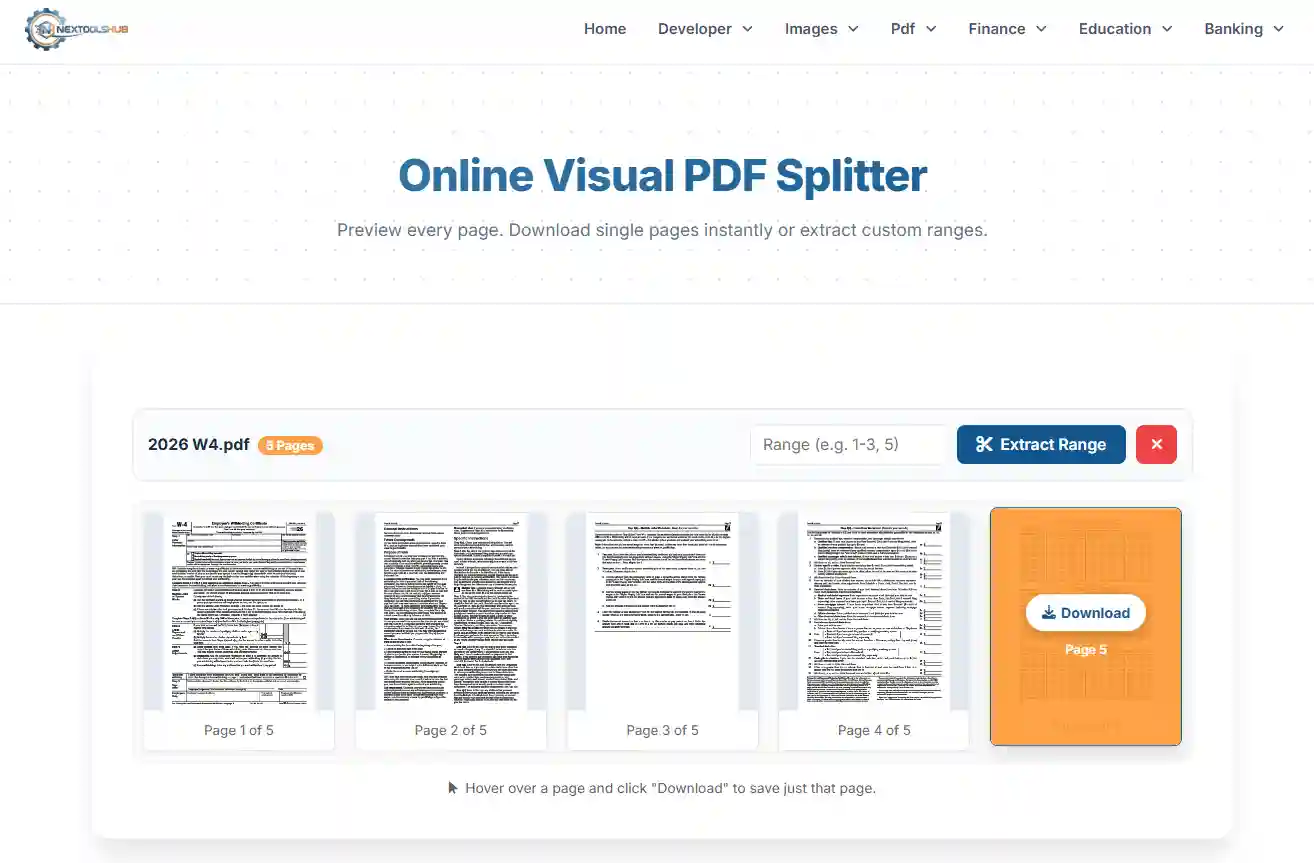
See Before You Split
Our tool uses advanced browser-based rendering to generate high-quality previews. This means you don't have to open the PDF in a separate tab to find page numbers. Just upload, view the grid, and grab the pages you want.
Key Features
- Instant Single Page Download: Found the page you need? Hover and click. No need to enter numbers or navigate menus.
- Visual Verification: Ensure you are splitting the correct content by seeing the layout, text, and images before extracting.
- Privacy First: Like all our tools, this runs entirely in your browser using JavaScript libraries. Your sensitive data is not uploaded to any server.
Why Use a Visual Splitter?
1. Accuracy: Eliminates "off-by-one" errors where you accidentally extract page 5 instead of page 6.
2. Speed: For extracting single pages scattered throughout a document, clicking thumbnails is significantly faster than typing "5, 12, 19, 24" into a text box.
3. Ease of Use: The drag-and-drop interface combined with visual feedback makes PDF manipulation accessible to everyone, regardless of technical skill.