The First Line of Defense: Why You Need a Random Password Generator
In an era where data breaches make headlines weekly, your password is the only barrier standing between a hacker and your personal information. From banking details to social media accounts, your digital identity relies on strong authentication. However, humans are terrible at being random. We naturally gravitate towards patterns like "Password123", birthdates, or pet names. These patterns are exactly what cybercriminals exploit.
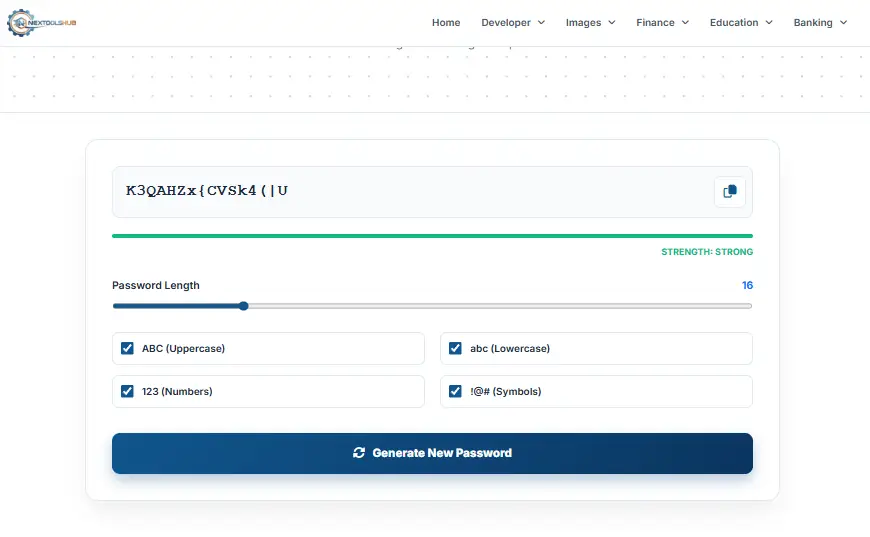
A Random Password Generator removes human predictability from the equation. By using complex algorithms to shuffle characters, numbers, and symbols, it creates a string of data that is mathematically nearly impossible to guess, securing your accounts against Brute Force and Dictionary attacks.
The Anatomy of a Secure Password
- Length is Key: A 12-character password is exponentially harder to crack than an 8-character one. Aim for 16+ for sensitive accounts.
- Complexity: Mixing Uppercase, Lowercase, Numbers, and Symbols increases "Entropy" (randomness), making brute-force attacks impractical.
- Uniqueness: Never reuse passwords. If one site gets hacked, all your accounts are vulnerable if you reuse passwords. A generator makes creating unique ones easy.
How Hackers Crack Passwords
Understanding the threat helps you defend against it. Hackers rarely guess passwords manually; they use automated tools:
- Brute Force Attacks: A program tries every possible combination of characters (aaaa, aaab, aaac...). Short passwords fall victim to this in seconds.
- Dictionary Attacks: Software runs through millions of common words from the dictionary. Phrases like "iloveyou" or "monkey" are cracked instantly.
- Rainbow Tables: Hackers use pre-computed tables of hashed passwords to reverse-engineer yours if it is simple.
Why Use NexToolshub Generator?
Client-Side Security: We value your privacy above all. This password generation tool runs 100% in your browser using JavaScript. The password is created locally on your device and is never sent to our servers or stored in any database.
Customizable Control: Need a password without symbols for a specific legacy site? Or a 64-character key for high-level encryption? Our tool gives you granular control over every aspect of your password's composition.
Frequently Asked Questions (FAQs)
Common questions about password security.